Comparison Content: What It Is, Why It Works and How to Create It
Your customers are already telling you what to post. Every "What's the difference between...?" or "Which one do I need?" in your DMs, enquiry forms and sales calls is a piece of content waiting to be made. This guide explains what comparison content is, why it performs so well and how to create it in five steps, with real examples.
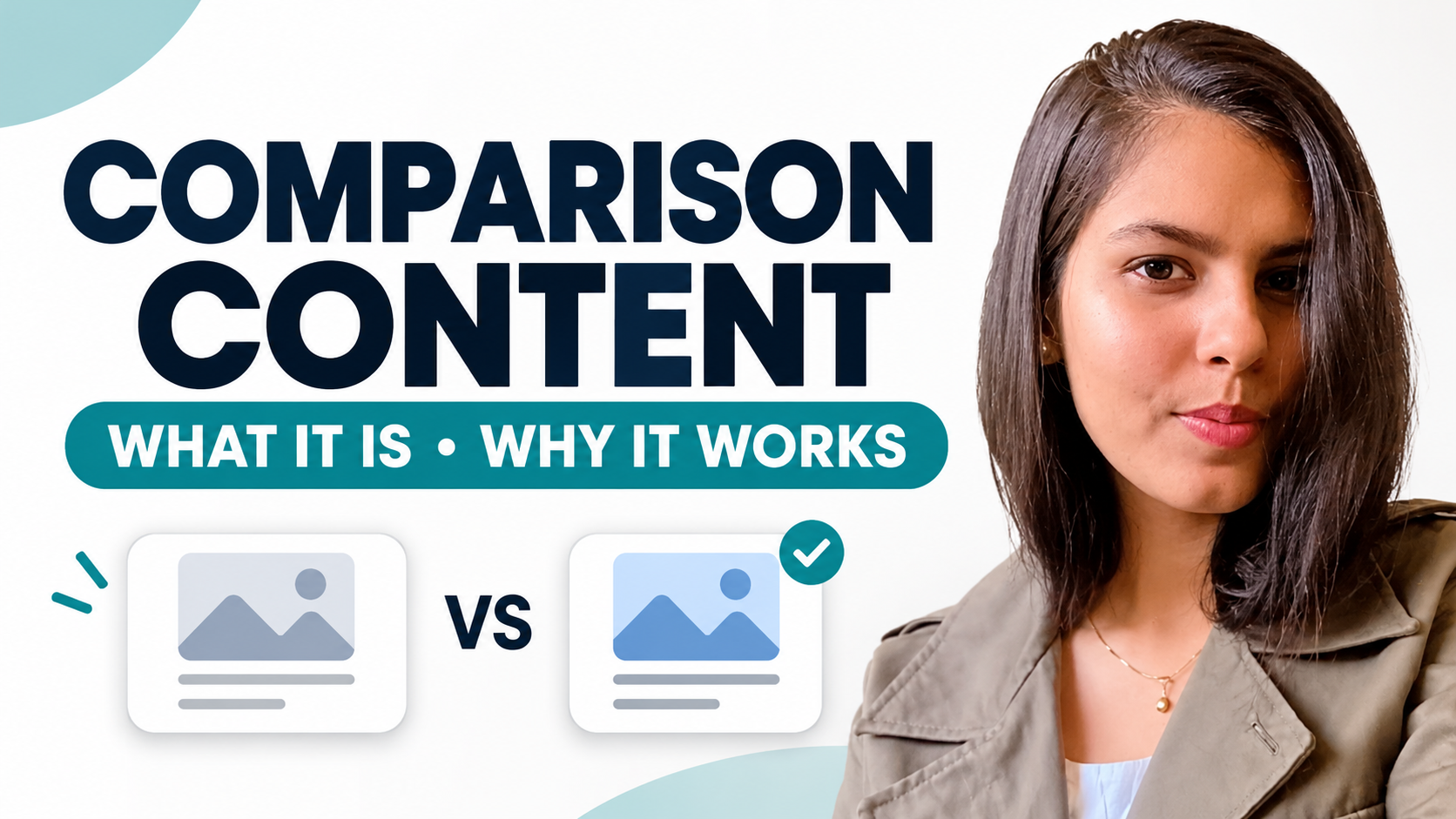
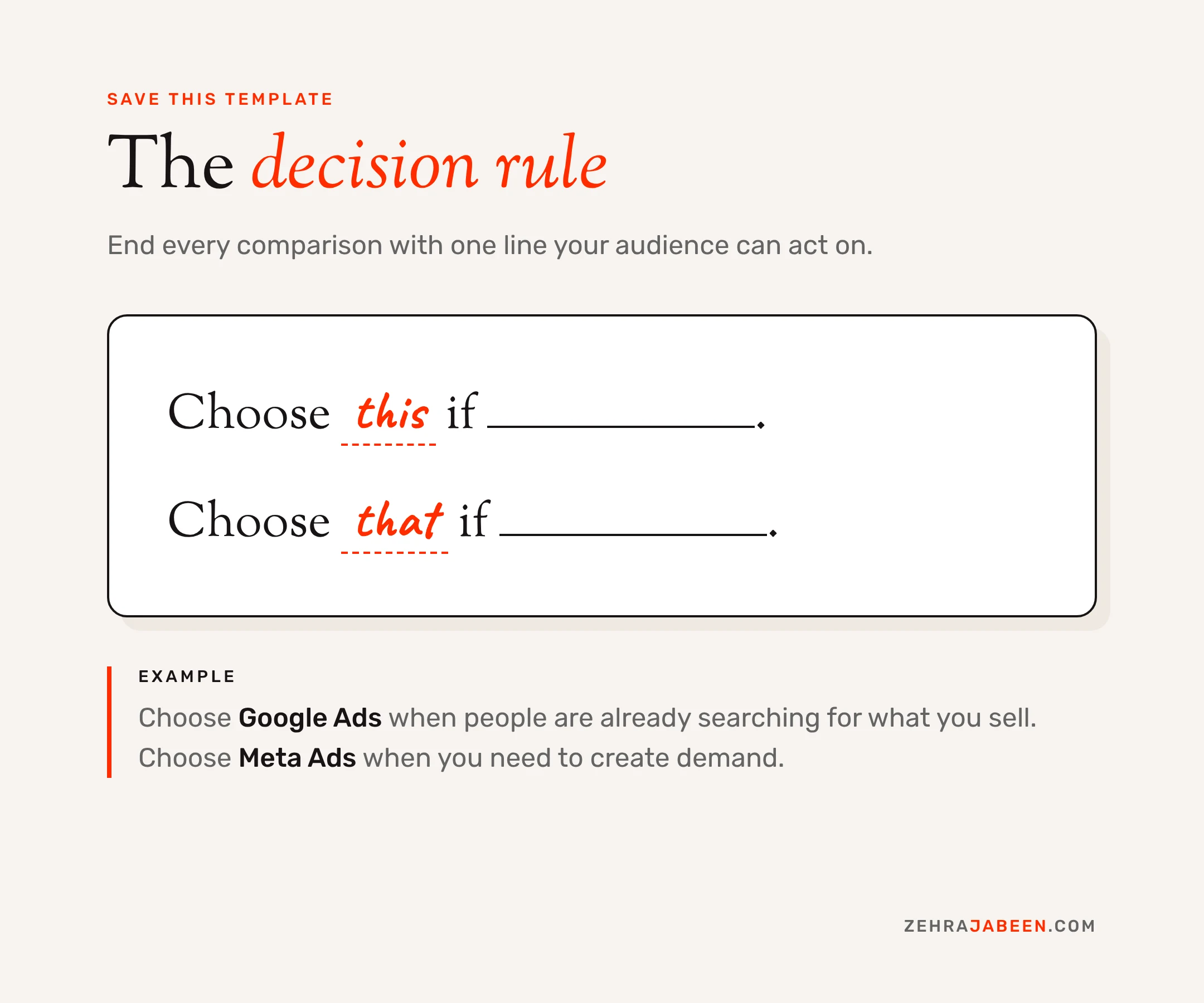
Comparison content puts two options side by side and helps your audience choose between them. To create it, find a question your customers keep asking, compare two options on the same points, show what each means in practice and end with a simple rule: "Choose this if ___. Choose that if ___."
What is comparison content?
Comparison content is any post, video or article that puts two options side by side and helps the audience choose between them. It answers "X vs Y" and "which one should I pick?" questions, covers the same points for each option, and ends with a clear recommendation for different types of buyer.
Common formats include "X vs Y" blog posts, split-screen Reels and TikToks, side-by-side carousels and comparison tables on product or course pages.
Why does comparison content work?
Comparison content works because it gives people a reference point, is easy to follow, helps them make a decision and naturally turns into a repeatable series. It meets buyers at the moment they are weighing up options, which is often the moment just before they act. In other words, it wins on relevance, not volume.
1No prior knowledge needed
A comparison gives people a reference point straight away. Even if they know nothing about either option, they can follow "this one does X, that one does Y".
2Easy to watch or read
Two things side by side is a naturally visual setup. Hold both up to the camera, or split a slide down the middle.
3It helps people decide
Most educational content stops at information. Comparison content helps the viewer choose, and useful content gets saved and shared.
4It builds a series
One comparison becomes a format your audience comes back for, and a format is far easier to produce than a fresh idea every week.
How do you create comparison content? (5 steps)
To create comparison content, find a question your customers keep asking, pick two options to compare, put them side by side, show what each means in practice and finish with a simple rule for choosing.
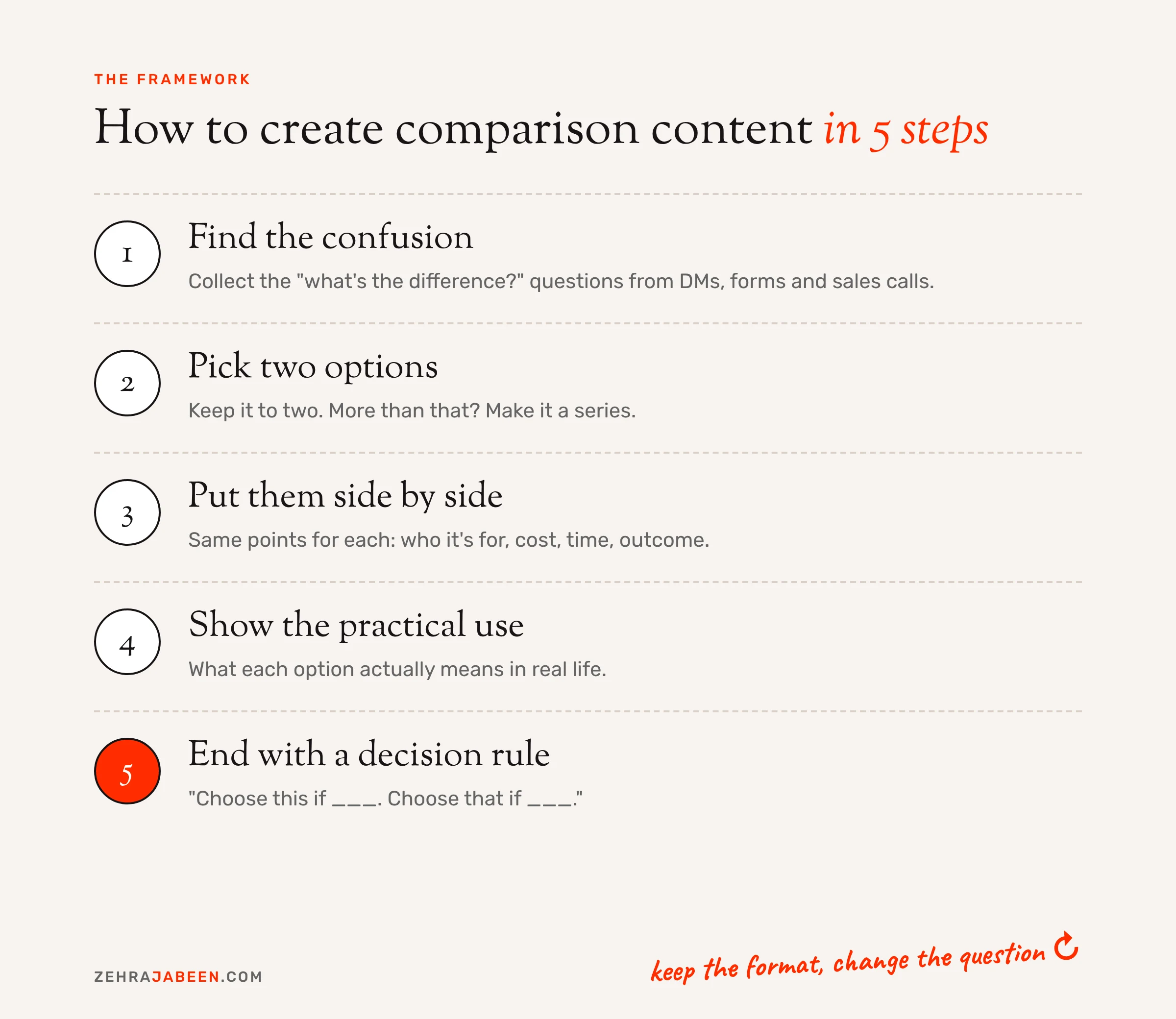
- Find the confusion. Look at your enquiry forms, sales calls, DMs and FAQs. Write down every question that starts with "What's the difference between" or "Which one should I". If the same question comes up three times, it's a post.
- Pick two options to compare. Keep it to two. Three or more turns a quick, clear post into a spreadsheet. If there are more options, make it a series and compare them in pairs.
- Put them side by side. Show both at once, on camera, on a split slide or in a short table. Cover the same points for each: what it is, who it's for, cost, time and outcome.
- Show the practical use. Explain what each option actually means in real life. "Here's what you can do the week after you qualify" is far more useful than a list of unit codes.
- End with a decision rule. Finish with one simple line: "Choose this if ___. Choose that if ___." This is the part people screenshot, save and send to a friend.
Once the first post is out, keep the format and change the question. That's your series.
Comparison content examples
Here's how comparison content plays out across a few industries I work with, including my own.
| Industry | What customers ask | Comparison post | Decision rule |
|---|---|---|---|
| Beauty training | "Which course do I start with?" | Level 2 vs Level 3 Beauty Therapy | Start with Level 2 if you're new to the industry. Move to Level 3 once you hold Level 2 and want advanced treatments. |
| Salon | "Should I get gel or BIAB?" | Gel polish vs BIAB | Choose gel if you like changing colour every few weeks. Choose BIAB if you want to grow and strengthen your natural nails. |
| Salon | "Lift or extensions?" | Lash lift vs lash extensions | Choose a lift for low maintenance and a natural look. Choose extensions for extra length and volume. |
| Adult learning | "Is an apprenticeship right for me?" | Apprenticeship vs standalone course | Choose an apprenticeship if you're employed and want to learn on the job. Choose a standalone course if you want to study in your own time. |
| Digital marketing | "Where should I spend my ad budget?" | Google Ads vs Meta Ads | Choose Google Ads when people are already searching for what you sell. Choose Meta Ads when you need to create demand. |
None of these need a big production budget. A phone, good lighting and two products, or two slides, is enough. What makes them work is that each one answers a real question someone has already asked.
Where should you use comparison content?
Use comparison content in short-form video, carousels, blog posts and paid ads. One comparison idea can be repurposed across all four, so a single customer question can fuel a week of content.
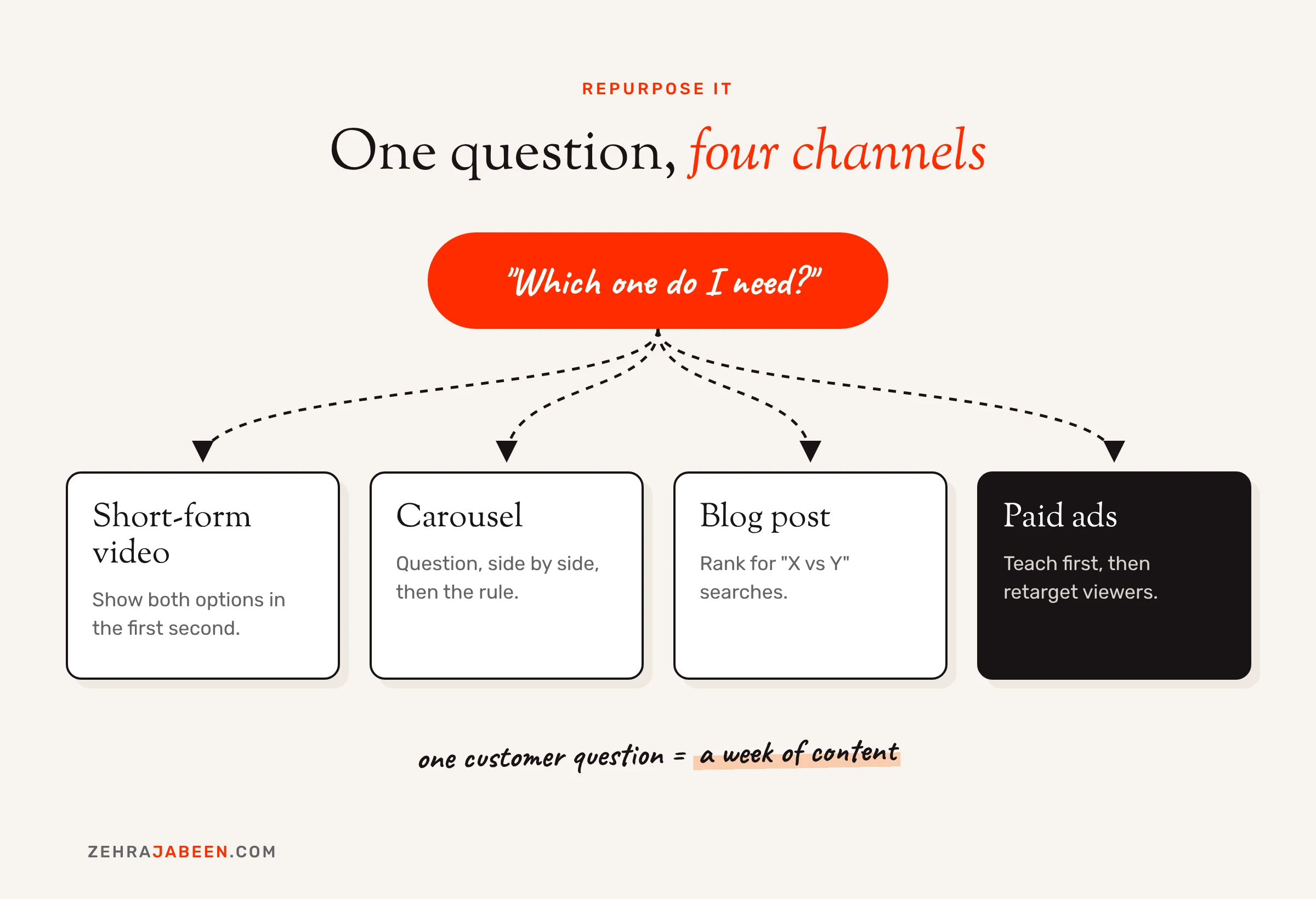
Short-form video
Reels and TikToks are where comparison content shines. Hold up both options in the first second, so viewers know exactly what the video is about before they think about scrolling. For platform-specific tips, see my guide to creating engaging content on LinkedIn, TikTok and Pinterest.
Carousels
Use the first slide for the question, the middle slides for the side-by-side and the last slide for the decision rule. That last slide is the one people save. It's a format I use often in social media management.
Blog posts
"X vs Y" searches are some of the clearest intent you'll find on Google. Someone typing "gel vs BIAB" is close to booking. A well-structured comparison post, with a summary table near the top, gives them the answer and gives you a chance to rank. Pair it with genuine first-hand experience to meet Google's E-E-A-T expectations.
Paid ads
This is where most brands miss a trick. Comparison videos make strong top-of-funnel ads because they teach before they sell. In my experience managing paid campaigns on Google and Meta, educational ad creative like this often builds cheaper engaged audiences. You can then retarget those viewers with a direct offer, so the ad that sells is shown to people who already trust you.
Common comparison content mistakes
- Comparing things nobody is confused about. If the answer is obvious, the post has no tension. Start from real questions, not ones you think sound clever.
- Sitting on the fence. "It depends" is not a decision rule. Give a clear recommendation for each type of person, even if there are exceptions.
- Making it a sales pitch. If every comparison ends with "so book with us", people stop trusting it. Let the content be genuinely useful and keep the call to action light.
- Overloading the comparison. Five points per option is plenty. If you need more, you probably need two posts.
- Getting the facts wrong. Prices, entry requirements and timescales change. Check them before you publish, especially in regulated areas like training and funding, where an outdated claim can cause real problems.
Frequently asked questions
Is comparison content good for SEO?
Yes. "X vs Y" searches usually come from people close to making a decision, so they carry strong intent. A clear comparison post with a summary table and a direct verdict gives Google, and Google's AI Overviews, a concise answer to pull from. If you want help building content like this into your strategy, see my SEO services.
What's the difference between comparison content and a product review?
A review looks at one option in depth. Comparison content looks at two or more options against the same criteria and helps the reader choose between them.
How long should a comparison blog post be?
Long enough to cover the same points for each option and give a clear verdict. For most comparisons that's 800 to 1,500 words, with a summary table near the top so readers get the answer quickly.
Can small businesses use comparison content?
Yes, and it suits them well. It needs no big production budget, just a phone or a simple slide template, and it's built from questions your customers already ask.
Should comparison content mention competitors?
It can, but it doesn't have to. Comparing two of your own services, or two common approaches, is often safer and just as useful. If you do name competitors, keep every claim fair, accurate and up to date.
Turn your customers' questions into content that converts
You don't need a content calendar full of fresh ideas. You need a list of the questions your customers keep asking. If you'd like help turning them into a content and ad strategy, let's talk.